What Is Claude Design? Anthropic's Tool Explained
What Claude Design does in 2026, who it helps, where it beats a blank canvas, and where you still need Figma, Claude Code, or a real product stack.
 FekriAugust 19, 20263 min read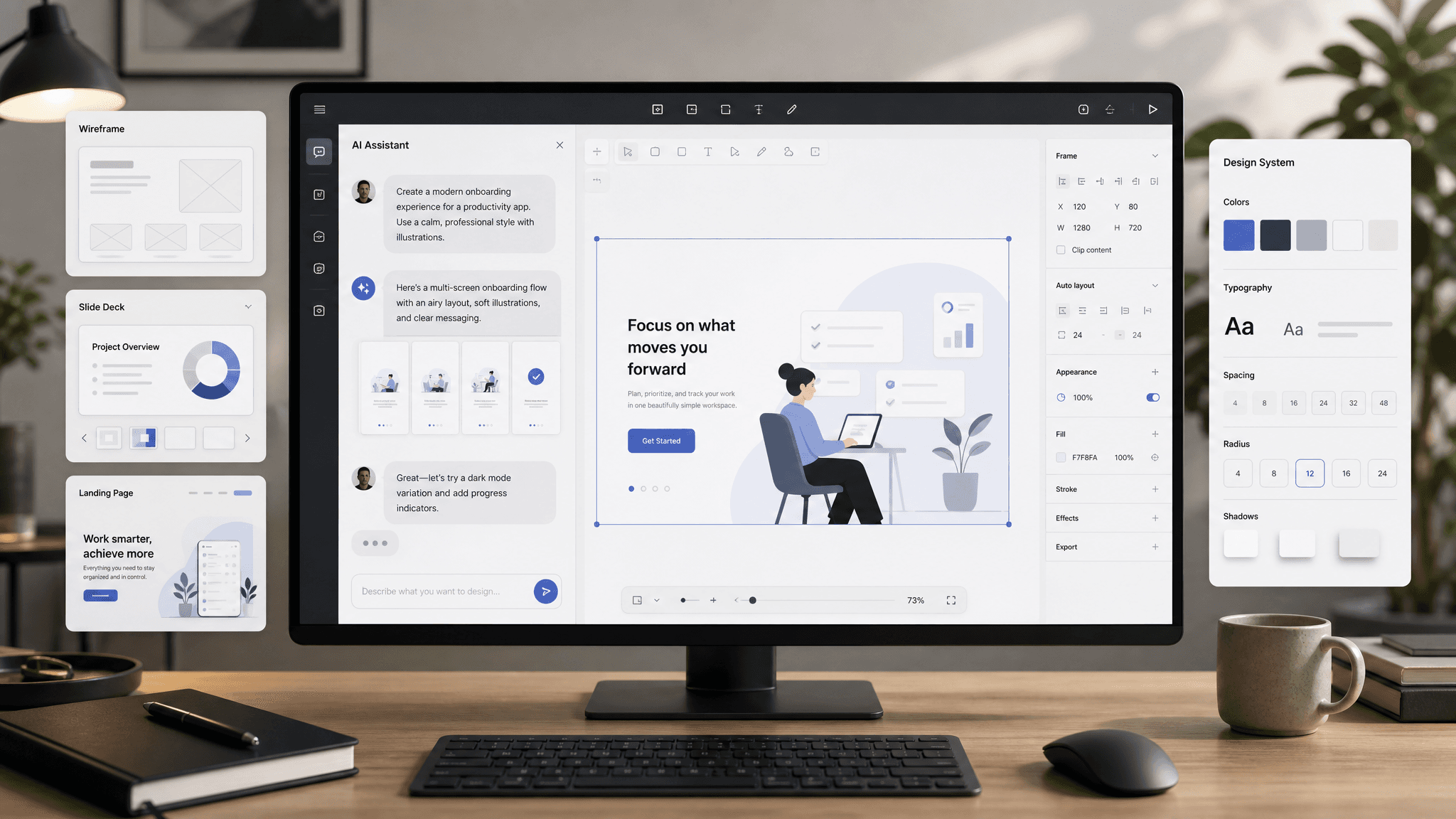
Quick answer
As of 19 August 2026, Claude Design is in beta on four paid Claude plans and can send work to at least nine connected destinations, according to Anthropic's help center guide. The short version is simple: Claude Design is Anthropic's workspace for turning a prompt, screenshot, or codebase into a mockup, prototype, deck, or one-pager.
The more useful answer is that Claude Design sits between blank-canvas design tools and code tools. It is better at getting you to a believable first artifact fast. It is worse at precise production design than Figma, and it is not the same thing as Claude Code.
What Claude Design is
Anthropic introduced Claude Design on 17 April 2026 as an Anthropic Labs product for "designs, prototypes, slides, one-pagers, and more." Since then, the product page has shifted from launch language to a clearer pitch: Claude Design is where you describe the thing you want, Claude builds a draft, and you refine it on a canvas until it feels right.
That makes Claude Design closer to an AI-first design workspace than a pure image generator. You can use it for:
- product mockups
- interactive prototypes
- slide decks
- landing page concepts
- one-pagers
- campaign visuals
The current help docs also make the workflow more concrete than the launch announcement did. Anthropic says you can start from screenshots, documents, web captures, GitHub repos, design files, or your local codebase, then export to PDF, PPTX, standalone HTML, Canva, connected apps, or Claude Code handoff.
What's changed since launch
This is the part many older articles miss.
On launch day, most writeups treated Claude Design as a shiny experiment. The August 2026 help center page adds the details that matter if you are deciding whether to use it:
- it is now framed as a beta product, not only a research preview
- it is available on the web and in Claude Desktop
- it shares usage limits with chat, Claude Code, and Claude Cowork
- Enterprise access is off by default until an admin enables it
- Anthropic now lists a broader connector set, including Adobe, Base44, Canva, Gamma, Lovable, Miro, Replit, Vercel, and Wix
That last point matters more than it sounds. A design tool gets more useful once the handoff stops being awkward.
Where Claude Design looks strongest
I think Claude Design is most convincing when the problem is early direction, not final polish.
1. You need a first pass, not a pixel-perfect file
If you are staring at a blank canvas, Claude Design is appealing because it gives you something concrete to react to. That is a real job. Teams waste a lot of time before the first useful draft exists.
2. You want your draft to look like your company
Anthropic keeps leaning on design-system import for a reason. If Claude can pull in your real components, colors, typography, and existing codebase, the first pass gets much more usable than the average AI mockup.
3. You are building decks, one-pagers, or marketing concepts
This might be the easiest place to get value. A lot of work in startups is not polished product design. It is "I need a good deck by this afternoon" or "show me three versions of this landing page section."
4. You want a bridge into code
Anthropic is clearly pushing the Claude Design to Claude Code story. The product page now calls out /design-sync and direct movement between the two tools. That is smart positioning because it turns design from a dead-end artifact into the start of an implementation flow.
Anthropic's own launch post included the strongest concrete quote I found. Brilliant said:
"Our most complex pages, which took 20+ prompts to recreate in other tools, only required 2 prompts in Claude Design."
That is a marketing quote, obviously. Still, it captures the pitch better than a pile of slogans does.
Where Claude Design still feels limited
Anthropic is unusually open in the help docs about the rough edges, and that is useful.
- multi-person editing is still basic and may not work reliably
- very large codebases can lag or cause browser issues
- inline comments can disappear before Claude reads them
- the product is available on web and desktop only
- long design sessions compete with your normal Claude usage because there is no separate design allowance anymore
That last point is easy to overlook. If your team already burns a lot of Claude usage in chat or Claude Code, Claude Design is not a free extra lane. It draws from the same pool.
Claude Design vs Figma
This is where search results get mushy, so here is the blunt version.
Claude Design is better when you want fast directions. Figma is better when you need control.
If your job is:
- generate three landing-page directions from a short brief
- spin up an investor deck from rough notes
- mock up a feature flow before a review call
- turn an existing design system into fast variants
Claude Design makes sense.
If your job is:
- maintain a real component library
- handle dense product UX with careful states and edge cases
- run a serious team review workflow
- push a design all the way to production precision
Figma still makes more sense.
The cleanest way to frame it is this:
| Need | Better fit |
|---|---|
| First draft in minutes | Claude Design |
| Precise production design | Figma |
| Design-to-code handoff inside Claude | Claude Design + Claude Code |
Claude Design can absolutely take work away from blank-canvas Figma sessions. I do not think it replaces mature Figma workflows yet.
Claude Design vs Claude Code
People keep mixing these up because Anthropic talks about them together.
They are related, but they do different jobs.
| Tool | Best for | What it does not replace |
|---|---|---|
| Claude Design | visual concepts, decks, prototypes, on-brand mockups | real app infrastructure |
| Claude Code | implementation, editing codebases, shipping features | visual exploration and design iteration |
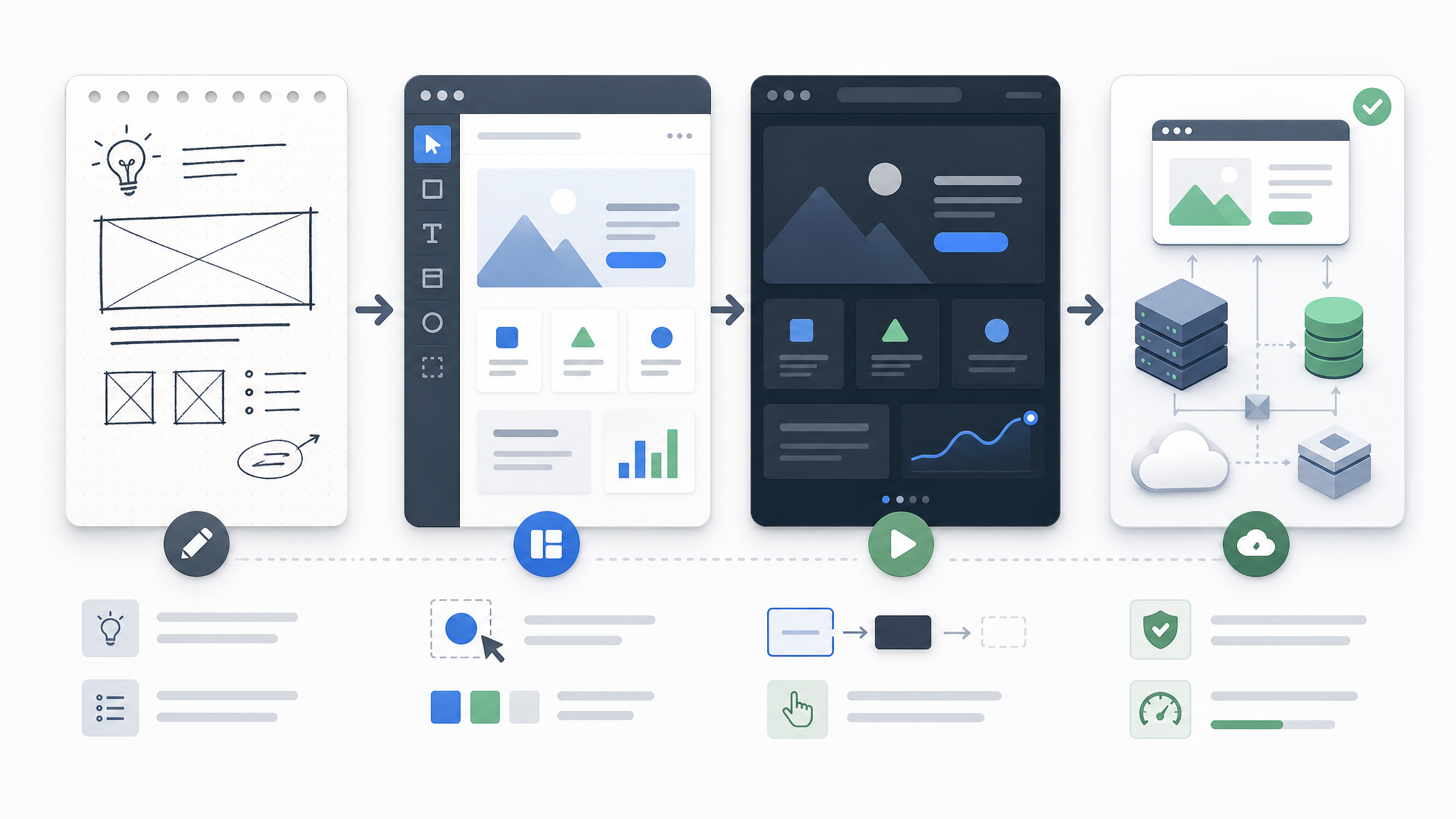
Anthropic's own docs describe the bridge clearly. You can sync a design system into Claude Design, work on the visual side, and then hand the result to Claude Code. That is useful. It is also where some launch coverage got lazy. A handoff bundle is still not auth, billing, database design, analytics, email, or deployment.
Who Claude Design is for
The best fit is broader than "designers."
Founders
Founders live in rough drafts. Decks, one-pagers, landing pages, feature concepts, investor updates. Claude Design looks built for that pace.
Product managers
PMs often need something visual before design resources are available. Claude Design gives them a way to move from a loose spec to a discussable artifact quickly.
Marketers and growth teams
If your team ships landing pages, campaign visuals, or sales collateral every week, Claude Design has a much clearer use case than a generic "AI creativity" pitch.
Designers
Designers will probably use it differently. Less "replace my main tool." More "give me three decent starting directions, then I will take over."
Engineers
Engineers are the sleeper audience here. If you already work in Claude Code, the idea of sketching the interface in Claude Design first is pretty natural.
Can Claude Design replace a real app stack?
No.
It can help you get to:
- a believable prototype
- a sharper deck
- a cleaner one-pager
- a faster first pass on a feature concept
It cannot give you:
- auth
- billing
- database design
- analytics
- file storage
- admin tooling
- deployment
That difference matters. A strong mockup is still not a shipped product.
If you only need standalone marketing images, a dedicated image tool is often simpler. Claude Design earns its keep when you need layout, iteration, and some amount of interaction in one place.
From the maker
Prototype done? Ship the product.
Claude Design helps you get to the mockup. AnotherWrapper helps with the boring part after that: auth, billing, database, email, analytics, and a real app foundation.
“I have finished my MVP. Definitely wouldn't have pulled it off without the demo applications which gave me a kickstart.”

Jonathan
·Founder, Repurpost.io
Verified on DiscordTrusted by 2,000+ founders · One-time payment · Lifetime updates
My take
Claude Design is interesting because it goes after a very real bottleneck: the time between "I have an idea" and "now there is something useful on the screen."
That is a bigger opportunity than "AI makes pretty pictures."
I would use Claude Design for early product directions, sales collateral, landing page drafts, and quick internal prototypes. I would still switch to Figma for serious production design. I would still switch to Claude Code or a real app stack once the idea needs to become software.
That might sound obvious, but it is the framing a lot of SERP pages still miss.
Frequently asked questions
What is Claude Design?
Claude Design is Anthropic's beta workspace for creating on-brand visuals, interactive prototypes, decks, one-pagers, and landing-page style mockups by chatting with Claude on a canvas.
Which plans include Claude Design?
Anthropic says Claude Design is included on Claude Pro, Max, Team, and Enterprise plans.
Where can you use Claude Design?
Anthropic's help center says Claude Design is available on the web at claude.ai/design and from Claude Desktop.
What can Claude Design import and export?
Anthropic says Claude Design can start from screenshots, documents, web captures, codebases, and design systems, then export to PDF, PPTX, standalone HTML, Canva, connected apps, or Claude Code handoff.
Does Claude Design have separate usage limits?
No. Anthropic says Claude Design now draws from the same shared usage pool as chat, Claude Code, and Claude Cowork.
Is Claude Design a Figma replacement?
No. Claude Design is stronger for first drafts, fast exploration, and on-brand mockups, while Figma is still better for precise production design and mature team workflows.
How is Claude Design different from Claude Code?
Claude Design is the visual workspace. Claude Code is the implementation tool. Anthropic links them with handoff and design sync, but they solve different parts of the job.
Can Claude Design launch an app by itself?
No. Claude Design can get you to a convincing prototype, but shipping still needs auth, billing, a database, analytics, email, and deployment.
Is Claude Design enabled by default on Enterprise?
No. Anthropic says Claude Design is off by default for Enterprise and must be enabled by an admin in Organization settings.
Stay ahead of the curve
Weekly insights on AI tools, comparisons, and developer strategies.

Fekri
Building tools for the next generation of AI-powered startups. Sharing what I learn along the way.
Continue reading
You might also enjoy
AI Wrapper: What It Is, Examples & How to Build One
Learn what an AI wrapper is, how ChatGPT wrappers work, what they cost, and how to build one with auth, payments, credits, and analytics.
 Fekri
Fekri
Clawdbot is Now OpenClaw: Migration Guide and What Changed
Clawdbot is now OpenClaw. Learn what changed, how to migrate, and what OpenClaw offers over the original Clawdbot AI agent fork.
Fekri
How to Install OpenClaw: Complete Setup Guide for macOS, Linux & Windows (2026)
Step-by-step guide to install OpenClaw (formerly Clawdbot / Moltbot) on macOS, Linux, Ubuntu, and Windows. Covers npm, Docker, source builds, Ollama local models, API key setup, skills, configuration, and troubleshooting.
Fekri