Next JS Supabase Guide: Build Modern Full Stack Apps Fast
Master Next JS Supabase development with proven strategies. Build scalable full-stack apps using real-time features, auth, and PostgreSQL.
 FekriMay 28, 20253 min read
Why Next.js Supabase Is The Perfect Developer Match
Finding the right tech stack can significantly impact a project's success. The combination of Next.js and Supabase has become a popular choice for developers looking to build and deploy quickly without sacrificing quality. This powerful pairing allows teams to concentrate on product innovation instead of grappling with complex infrastructure.
Next.js: A Solid React Foundation
Next.js extends the capabilities of React by offering key features like server-side rendering (SSR). This boosts SEO, improves site performance, and enhances the overall user experience, especially for content-rich applications. Next.js also simplifies the creation of API routes, making backend integration smooth and efficient. This streamlined approach allows developers to manage both frontend and backend logic within a single, unified framework. You might be interested in: How to master Supabase and Next.js.
Supabase: Simplifying Backend Development
Supabase streamlines backend development by offering a suite of tools built around PostgreSQL. Rather than building custom backend solutions from the ground up, developers can use Supabase's features, including:
- PostgreSQL database: Provides the robustness and scalability of a relational database, making it suitable for complex data structures and queries.
- Authentication: Offers ready-made authentication services, eliminating the need for custom implementations.
- Real-time Capabilities: Enables the development of dynamic, interactive user experiences with live data updates.
A Powerful Synergy
The true power lies in the seamless integration of these two technologies. Next.js handles the frontend presentation with efficient SSR, while Supabase delivers a ready-made backend driven by PostgreSQL. This synergistic combination dramatically reduces both development time and complexity. The technical pairing of Next.js and Supabase has become a leading approach for building scalable full-stack web applications. A May 2025 technical report demonstrates that modern enterprise projects are increasingly adopting this stack – leveraging Next.js for React-based server-side rendering and Supabase for its PostgreSQL-powered database, authentication, and real-time capabilities – to accelerate development and minimize infrastructure overhead. Learn more about this powerful combination here.

This powerful duo empowers developers to quickly build robust applications, from small weekend projects to large-scale enterprise solutions. The ability to concentrate on core product features, instead of infrastructure management, is a major advantage for both startups and established companies. Think of it as building with pre-fabricated components: you achieve the strength and reliability of a custom build, but without the slow, painstaking process of crafting each individual element. This streamlined approach enables faster iterations, quicker deployments, and ultimately, a faster time to market.
Getting Your Next.js Supabase Project Running Right
Skip the setup headaches that often plague new projects. This guide provides a robust setup process, going beyond the basics to help you confidently create your Next.js application, integrate the Supabase client, and configure everything for smooth sailing in both development and production environments.
Setting Up Your Development Environment
Begin by creating a new Next.js project using create-next-app. This simple process establishes the foundation for your project.
- Open your terminal and run:
npx create-next-app my-supabase-project - Navigate into the new directory:
cd my-supabase-project - Install the Supabase JavaScript client:
npm install @supabase/supabase-js
Structuring your project effectively from the outset is key for long-term maintainability and scalability.
Integrating the Supabase Client
With the project initialized, you can now integrate the Supabase client. This involves creating a dedicated file to house your Supabase client instance.
- Create a new file:
utils/supabaseClient.js(or a path of your choosing). - Inside this file, add the following code:
import { createClient } from '@supabase/supabase-js'

const supabaseUrl = process.env.NEXT_PUBLIC_SUPABASE_URL
const supabaseAnonKey = process.env.NEXT_PUBLIC_SUPABASE_ANON_KEY

export const supabase = createClient(supabaseUrl, supabaseAnonKey)
This code creates a reusable Supabase client, accessible throughout your project. Importantly, it uses environment variables, which is a best practice for managing sensitive keys and ensuring application security.
Configuring for Development and Production
Maintaining separate configurations for development and production is crucial. One effective approach is to use environment variables prefixed with NEXT_PUBLIC_ for public variables. Private variables should be stored securely in a .env.local file (remember to add this to your .gitignore).
Recent surveys indicate that over 60% of new SaaS and internal tool projects initiated in 2024-2025 using Next.js and Supabase cite ease of setup, seamless deployment, and robust scalability as key motivators. For instance, initializing a Next.js Supabase application can be achieved with a single command: npx create-next-app nextjs-supabase. This simplicity makes it accessible to development teams of all sizes. More detailed statistics can be found here. This rapid initialization contributes significantly to a project's early success.
The following infographic provides a visual comparison of Next.js and Supabase, highlighting their respective strengths in Server-Side Rendering Performance, Authentication Integration Speed, and Real-Time Data Support.
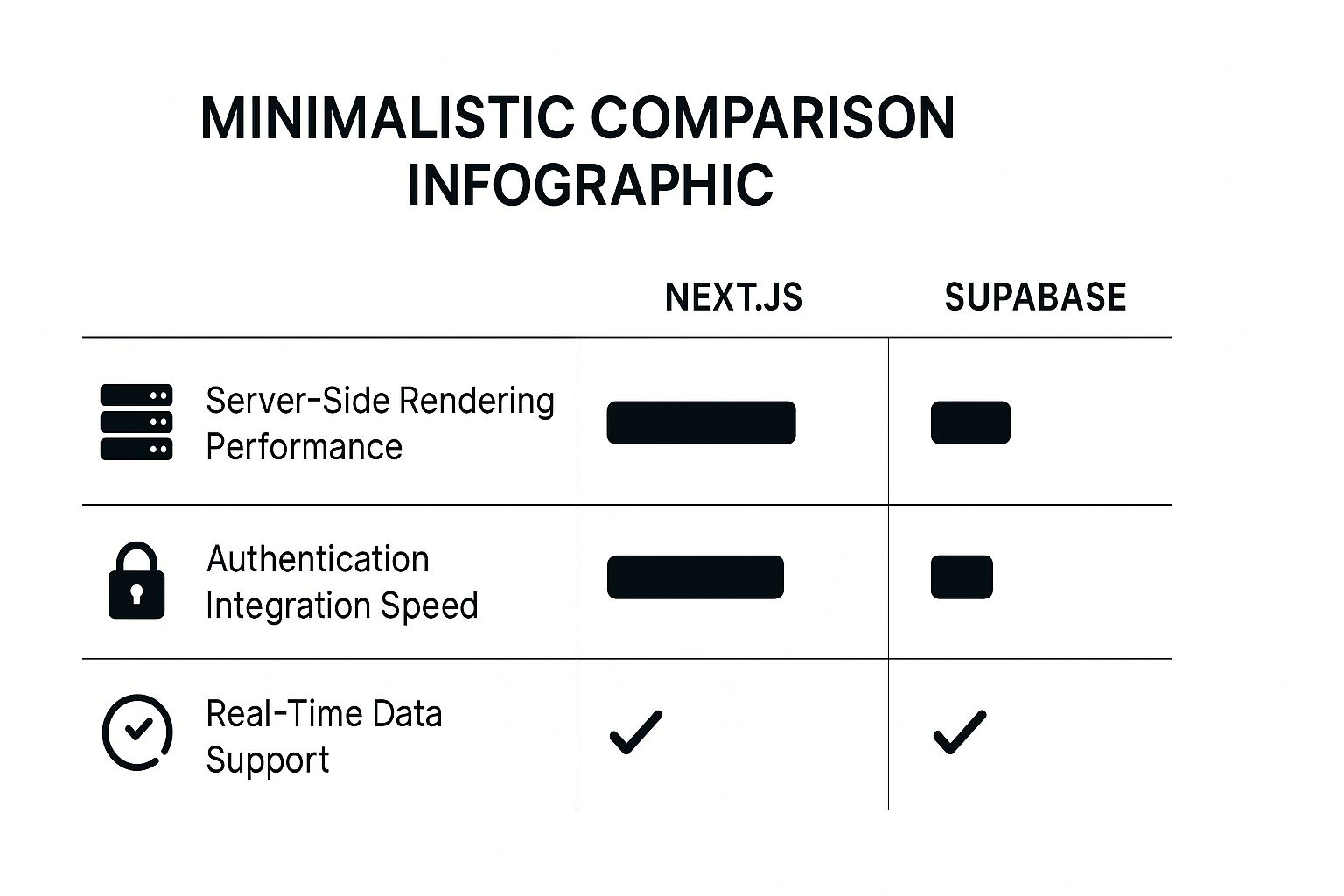
As the infographic demonstrates, Next.js and Supabase offer complementary capabilities, making them a powerful combination for modern web application development. This synergy is a major driver of the Next.js Supabase stack's popularity. With the initial setup complete, you're now ready to delve into the core features of Supabase.
The following table summarizes different Next.js and Supabase setup approaches.
Next.js Supabase Setup Comparison
| Setup Method | Time Required | Best For | Complexity Level |
|---|---|---|---|
create-next-app with Supabase CLI | ~15 minutes | New Projects, Rapid Prototyping | Beginner |
| Custom Setup with manual configuration | ~30-60 minutes | Complex projects, specific needs | Intermediate |
| Pre-configured Starter Kits | ~5 minutes | Learning, Specific use cases | Beginner |
This table highlights the trade-offs between speed and customization, allowing developers to choose the setup method that best aligns with their project needs and experience level. Using the create-next-app method with the Supabase CLI offers the fastest and easiest way to start a new project. More complex projects may benefit from a more customized approach, which requires additional setup time but allows for more control. Pre-configured starter kits cater to specific use cases and provide a jumpstart for learning.
Mastering Database Operations That Actually Scale
PostgreSQL, accessible through Supabase, offers a significant advantage when implemented effectively. It's more than just a database; it's a powerful tool that can propel your application to success. This section delves into the practical database operations that distinguish high-performing applications from those that struggle.
Structuring Schemas for Optimal Performance
Designing your database schema correctly from the outset is crucial for long-term success. Think of it like constructing a building: a solid foundation is essential. A well-structured schema ensures efficient data retrieval and prevents performance bottlenecks as your application scales. This involves carefully selecting data types, defining relationships, and implementing indexing strategies. For example, using appropriate data types like TEXT for long strings and INTEGER for numerical values ensures optimal storage and query performance.

Efficient Data Fetching Strategies
Retrieving data efficiently is paramount for a responsive user experience. Imagine searching a library with a disorganized catalog – it becomes a frustrating task. Supabase, built upon PostgreSQL, provides robust querying capabilities. By leveraging features like indexing and writing optimized queries, you can dramatically improve data fetching speeds. This translates to faster load times and a smoother experience for your users.
Leveraging Supabase's Auto-Generated APIs
Supabase simplifies backend development by automatically generating APIs for your database. This speeds up development, but understanding how to use these APIs efficiently is critical. Over-reliance on generic API calls can lead to performance issues. Think of it like using a generic remote control – it works, but dedicated controls are often more efficient. By customizing your queries and using appropriate API parameters, you can optimize data retrieval and minimize overhead.
Advanced Database Techniques
Supabase allows you to utilize PostgreSQL's advanced features. These can significantly enhance your application's functionality and security.
- Complex Queries: PostgreSQL excels at handling complex queries, enabling you to retrieve precisely the data you need.
- Data Relationships: Defining relationships between tables (one-to-one, one-to-many, many-to-many) ensures data integrity and streamlines querying.
- Row Level Security (RLS): This feature lets you control access to specific rows based on user roles or other criteria, bolstering data security.
For example, Row Level Security might restrict a user to only data associated with their account. Learn more about securing your Supabase and Next.js authentication here.
Additionally, using database triggers and functions can automate tasks and prevent errors. These functions activate based on specific database events, like inserting or updating data. Imagine a trigger that automatically sends a welcome email upon new user registration, or a function that validates data before storage. These automated processes significantly improve the overall efficiency and robustness of your application. This ultimately lets your database manage increased traffic and serve a larger user base effectively.
Authentication Made Simple (Finally)
Supabase's built-in authentication, combined with the power of Next.js, significantly simplifies user management. This powerful duo allows you to implement secure authentication flows robust enough for production environments, from simple email/password logins to more complex social login integrations. However, understanding best practices is essential to avoid future security vulnerabilities.
Secure Authentication Flows
Supabase offers a range of authentication methods, adapting to diverse project needs. Implementing a standard email/password system is straightforward with Supabase's pre-built tools.
Additionally, you can integrate social logins, allowing users to authenticate with platforms like Google, Facebook, and GitHub. This simplifies signup, improves user experience, and increases engagement.
Handling User Sessions
Managing user sessions effectively is critical for secure applications. Next.js and Supabase work together seamlessly to handle this aspect. Learn how to manage user sessions properly across Next.js pages and API routes.
For further reading, check out this helpful resource: How to master Supabase Auth in Next.js. This ensures a smooth, consistent experience as users navigate your application. Think of it as a personalized key granting access to appropriate areas of your application. Correctly managing these keys maintains a secure environment and a smooth user journey.
Protected Routes and Middleware
Creating protected routes is fundamental to authentication, ensuring that only authorized users access sensitive information. Next.js middleware allows you to implement route protection effectively without disrupting user flow.
Mastering database operations often involves integrating with tools like process documentation software. You might find documentation inspiration with dedicated process documentation tools. This lets you define rules and conditions for access, effectively guarding protected areas within your application. This layered approach prevents unauthorized access and safeguards critical information.
Role-Based Access Control
As your application grows, implementing role-based access control (RBAC) becomes crucial. RBAC defines different access levels based on user roles. Imagine an admin dashboard accessible only to users with the "admin" role. This granular control enhances security and streamlines user management.
Supabase simplifies RBAC implementation, letting you define roles and permissions within your database. This streamlines access control, making it efficient and adaptable to your application's needs.
Advanced Authentication Features
Supabase offers advanced features like magic links, multi-factor authentication (MFA), and custom user metadata management. These enhance security and provide a more personalized user experience.
Magic links offer passwordless authentication, enhancing convenience while maintaining strong security. MFA adds an extra security layer, protecting accounts from unauthorized access. These features enable building a highly secure and customizable authentication system tailored to your specific requirements. This level of control ensures you can implement the necessary authentication strategies to protect user data and maintain application integrity.
Building Real-Time Features That Users Love
Real-time functionality was once a complicated endeavor, requiring dedicated servers and complex code. But with Next.js and Supabase, building engaging, interactive experiences that keep users connected and data in sync is significantly simpler. This powerful combination lets you create dynamic features without the usual real-time development headaches.
Implementing Real-Time Subscriptions
Supabase simplifies real-time features with its real-time subscriptions. These subscriptions allow your Next.js frontend to instantly respond to database changes. This is done using PostgreSQL's publish-subscribe functionality, providing efficient and scalable real-time updates without complicated setup. Imagine a live chat application: new messages appear on everyone's screen the moment they're sent.
This dynamic functionality transforms user experiences, making applications more interactive and engaging. This increased engagement, in turn, boosts user satisfaction and retention. Integrating these real-time subscriptions directly into your React components creates a seamless and dynamic user interface.
Managing Subscription Lifecycles
Managing these subscriptions effectively is crucial. Much like unsubscribing from unwanted emails, managing real-time subscriptions prevents memory leaks and ensures optimal performance. It's like managing open tabs in your browser: too many, and things slow down. Proper management ensures your application stays responsive, even with frequent updates. It's all about efficiency and a clean digital workspace.
Optimizing for High-Frequency Updates
Optimization is essential for applications with a high volume of real-time updates. Supabase provides tools and techniques to handle this. Consider a live dashboard with rapidly fluctuating stock prices: efficient data handling is paramount. Optimization involves strategies for filtering and throttling incoming data, so your application performs well under pressure. Think of it like managing traffic flow: optimized routes keep things moving smoothly, even during rush hour.

Advanced Real-Time Techniques
Supabase enables more advanced features like presence systems and live notifications, going beyond basic real-time updates. Presence systems show who's online, improving collaboration. Live notifications provide instant feedback, keeping users informed. Imagine a project management tool where team members see each other's online status and receive instant task update notifications. Supabase’s real-time features are now used by thousands of businesses, from startups to Fortune 500 companies, demonstrating its versatility and market reach. Learn more about this widespread use here. These features let you build interactive experiences comparable to modern SaaS applications.
Scaling for Thousands of Users
Building real-time features that scale efficiently for thousands of users requires careful planning and execution. Supabase, built on PostgreSQL, provides a solid foundation for robust scalability. Effective implementation requires considering factors like database design, connection management, and efficient querying. This thoughtful approach ensures your real-time features remain responsive and reliable as your user base grows. By adhering to best practices and utilizing Supabase's capabilities, you can build engaging, interactive applications that handle many simultaneous users without performance issues.
Deploying Next.js Supabase Apps Like A Pro
Moving your Next.js Supabase application from development to a live production environment doesn't have to be intimidating. This guide walks you through deployment strategies, from selecting the right hosting platform to optimizing your application for peak performance.
Choosing the Right Hosting Platform
The first step is choosing the right hosting platform. Here are a few popular options:
-
Vercel: Known for its close integration with Next.js, Vercel provides streamlined deployments and serverless functions, making the process fast and efficient. These serverless functions complement Supabase’s backend features.
-
Netlify: Netlify is another strong choice supporting Next.js and serverless functions. Like Vercel, Netlify simplifies deployments and works well with many tools, allowing for easy automation and continuous integration/continuous deployment (CI/CD).
-
Custom Hosting Solutions: For greater control, custom solutions on platforms like AWS, Google Cloud, or Azure are viable. This gives more flexibility but requires more setup and maintenance, making it better suited for projects with specific infrastructure needs.
Configuring Supabase for Production
Before deploying, configure Supabase correctly for production workloads:
-
Environment Variable Management: Securely manage sensitive information, like API keys and database credentials, using environment variables. This improves security and safeguards your data. Think of these as secure keys granting access to parts of your application.
-
Database Migrations: A robust migration strategy handles database schema changes without disrupting service, keeping your data intact during updates. It’s like carefully moving furniture – a planned approach prevents breakage.
-
Monitoring Setup: Integrating monitoring tools tracks performance and helps catch potential issues before users do, ensuring a smooth user experience. It's like a security system for your application – alerting you to potential problems early.
Optimizing for Production Performance
Post-deployment, optimization is key for handling real-world traffic.
-
Static Generation Strategies: Next.js is known for its static site generation (SSG) capabilities, letting you pre-render pages at build time to improve load times and SEO. It's like baking a cake in advance rather than on demand – faster to serve.
-
API Route Performance Tuning: Fine-tune your API routes for efficient request handling, minimizing latency, and enhancing user experience. This ensures quick application responses, even under load. Consider it like optimizing traffic flow – efficient design prevents congestion.
-
Caching Patterns: Implementing caching strategies improves performance, especially for static data. Caching stores frequently accessed data for faster retrieval. Imagine saving often-used files on your desktop for quick access.
Supabase has secured $396.1 million in funding, highlighting their commitment to innovation and global infrastructure. This investment reinforces the platform’s long-term viability, focusing on scalability, security, and compliance. Enterprises and startups in major markets (US, UK, Germany) use the Next.js-Supabase stack across diverse sectors like healthcare, fintech, e-commerce, and education. More statistics can be found here.
Deployment Options Comparison
To help you select the best hosting platform for your Next.js Supabase application, we've put together this comparison table highlighting key features and differences:
| Platform | Deployment Speed | Scaling Options | Integration Level | Cost |
|---|---|---|---|---|
| Vercel | Very Fast | Autoscaling | Excellent | Varies based on usage |
| Netlify | Fast | Autoscaling | Good | Varies based on usage |
| Custom (AWS, GCP, Azure) | Slower | Highly Customizable | Requires Configuration | Varies based on infrastructure |
This table summarizes the trade-offs between ease of use, scalability, and cost, helping you choose based on project needs and resources. By following these strategies, you can deploy and optimize your Next.js Supabase application with confidence, ensuring reliable and efficient performance in production.
What's Next For Next.js Supabase Development
The Next.js Supabase ecosystem is changing how developers approach full-stack development. Several factors fuel this growth, from technical advantages to the business benefits offered to organizations of all sizes. This section explores emerging trends, upcoming features, and the expanding community that makes this combination so attractive for modern web development.
Emerging Trends in the Ecosystem
One clear trend is the increasing enterprise adoption of this stack. Companies recognize the value of combining Next.js's performance and SEO benefits with Supabase's simplified backend. This allows teams to prioritize product development over infrastructure management, leading to faster development cycles and quicker time to market. For a deeper comparison of backend solutions, check out this article: Supabase vs Firebase.
Another key trend is the growing community around Next.js and Supabase. This active community contributes to open-source projects, builds helpful resources, and fosters a supportive environment for developers at all levels. This collaborative spirit encourages innovation and helps the ecosystem flourish.
Upcoming Features and Integrations
The future of Next.js Supabase development looks bright, with continued advancements expected in both technologies. Supabase is constantly expanding its feature set with new tools and integrations that further simplify backend development. Improvements to its real-time capabilities and enhanced database features are just around the corner. Next.js is also evolving, adding performance enhancements, new features, and improvements to the developer experience. This constant evolution ensures the Next.js Supabase stack remains a leading choice for building modern web applications. When deploying, be sure to consider the CI/CD pipeline best practices.
The Growing Community and its Impact
The active community plays a crucial role in the ongoing success of the Next.js Supabase stack. The open-source nature of Supabase fosters contributions and continuous improvement. This community provides support and resources and actively contributes to developing new features and integrations. This collaborative environment promotes innovation and helps developers stay at the forefront of web development. The collective effort keeps the ecosystem strong, adaptable, and ready to meet the evolving demands of modern web development.
Driving Forces Behind Enterprise Adoption
Several factors contribute to the growing enterprise adoption of Next.js and Supabase. Technically, the combination offers improved performance, enhanced scalability, and simplified workflows. This results in faster development, lower infrastructure costs, and a better developer experience. From a business standpoint, these advantages translate to faster time to market, better product quality, and greater customer satisfaction. The synergy between Next.js and Supabase creates a strong value proposition for businesses modernizing their web development. This open-source alternative to Firebase has seen impressive growth. For instance, Supabase achieved $1 million in revenue in 2021. By 2024, that number jumped to $16 million, showing a compound annual growth rate (CAGR) of over 100%. You can explore more detailed statistics here. This commercial success highlights Supabase's increasing popularity, especially when paired with Next.js.
Positioning Your Projects and Skills for the Future
As the Next.js Supabase ecosystem expands, staying ahead is key for long-term success. This means staying current with the latest advancements in both technologies, contributing to the community, and building projects that showcase your skills. Embracing this powerful combination can enhance your career and contribute to the evolution of modern web development.
Ready to integrate AI into your Next.js projects? AnotherWrapper is a comprehensive AI starter kit built with Next.js and Supabase, letting you launch AI-powered micro SaaS projects quickly. From AI image generation and advanced chatbots to key services like payments and analytics, AnotherWrapper gives you the tools you need. Launch your next AI project with confidence – explore AnotherWrapper today: https://anotherwrapper.com
Stay ahead of the curve
Weekly insights on AI tools, comparisons, and developer strategies.

Fekri
Building tools for the next generation of AI-powered startups. Sharing what I learn along the way.
Related
Tags
Continue reading
You might also enjoy

Top Boilerplate React JS Templates for 2025
Discover the best boilerplate react js options for 2025. Kickstart your project with top frameworks like CRA, Next.js, Vite, and more!
 Fekri
Fekri
Top React Landing Page Examples to Boost Conversions
Discover 6 inspiring React landing page ideas to elevate your site in 2025. Create a high-converting react landing page today!
Fekri
Supabase Next.js Guide: Build Scalable Full-Stack Apps
Learn how to use Supabase Next.js to create real-time, scalable apps with authentication and AI. Boost your development with proven strategies today.
Fekri